 listicle
8 Steps to Secure Hotel Smart Devices
Table of Contents
- Step 1: Isolate Smart Devices on a Dedicated Network
- Step 2: Enforce Strong Authentication and Access Control
- Step 3: Deploy Endpoint Protection and Anti-Malware
- Step 4: Implement Hotel IoT Security Best Practices
- Step 5: Protecting Guest Data in Smart Hotels
- Step 6: Establish Vendor Risk Management for IoT
- Step 7: Plan for Incident Response
- Step 8: Secure Hotel Cyber Insurance Coverage
- Frequently Asked Questions
Last Updated: October 3, 2026
Step 1: Isolate Smart Devices on a Dedicated Network
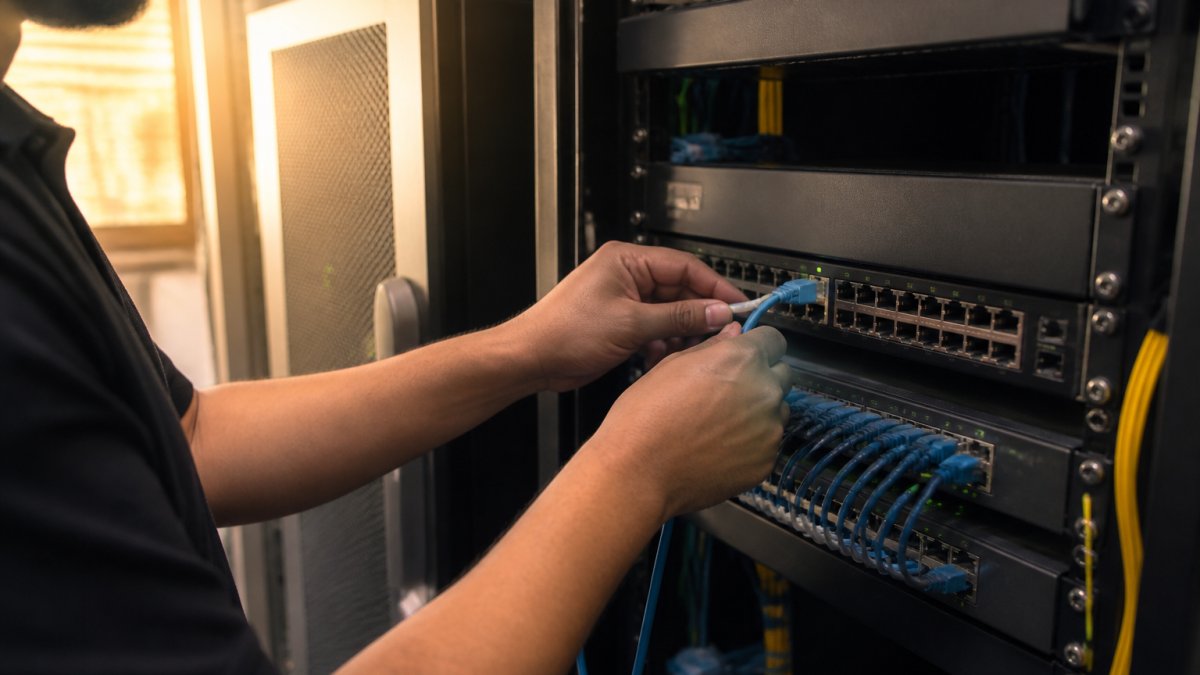
Network segmentation is your first line of defense when you're working to secure hotel smart devices. Keep guest-facing systems separate from operational networks, and isolate IoT devices from both to prevent a compromised smart TV or digital key system from accessing your payment processing or reservation database.
Why Network Segmentation Matters
When every device connects to the same network, a breach spreads to all. Network segmentation creates barriers: even if an attacker compromises a device, they hit a firewall before reaching sensitive systems. This follows the principle of least privilege, each device gets only the network access it needs. Your smart lock doesn't need to reach your payment processor; your smart TV doesn't need to access your staff network.
Implementing VLAN Segmentation
VLAN (Virtual Local Area Network) segmentation is the practical tool. Map your devices into groups: guest-facing IoT (smart TVs, digital keys), operational systems (HVAC, lighting control), and administrative networks (staff, payment systems). Assign each group a separate VLAN and configure your firewall to allow only necessary communication between them. Your existing switches and routers handle VLAN configuration through software settings.
Step 2: Enforce Strong Authentication and Access Control
Change default passwords on every smart device immediately upon installation. Devices ship with manufacturer defaults like "admin/admin" or "password123," which attackers scan for automatically. This is where most hotels stumble.
Implement multi-factor authentication for critical systems (digital keys, network management, guest Wi-Fi) requiring something you know (password) plus something you have (phone, authenticator app). For guest-facing systems, use temporary, single-use credentials, modern digital key systems generate unique codes per stay. Apply role-based access control: front desk staff shouldn't have IT director permissions; housekeeping shouldn't access security cameras.
Step 3: Deploy Endpoint Protection and Anti-Malware
Most IoT devices cannot run traditional antivirus software. Your strategy must account for two device classes: systems that support software protection and headless IoT devices that require network-level defense.
Software-Based Protection for Capable Devices
For staff computers and smart devices running full operating systems, deploy enterprise-grade endpoint detection and response (EDR) solutions that monitor behavioral anomalies. Configure endpoint protection to update every 4-6 hours and enable real-time scanning for critical systems.
Set up alerts for suspicious patterns: devices contacting command-and-control servers, spikes in outbound traffic, attempts to access restricted segments, or lateral movement. Your team should respond within minutes.
Network-Level Protection for Headless IoT Devices
Protect headless IoT devices at the network edge using: (1) Intrusion Detection and Prevention Systems (IDS/IPS) to monitor and block malicious traffic on your IoT VLAN; (2) Network traffic analysis and behavioral baselining to flag abnormal device behavior; (3) DNS filtering to block requests to known malicious domains using threat intelligence feeds from Shadowserver or Spamhaus.
Inventory and Visibility
Maintain a current inventory of every connected device including type, model, firmware version, network location, and support status. Scan your network quarterly to identify unlisted devices, these are often shadow IT or unauthorized equipment. Remove or isolate them immediately.
Incident Response for Suspected Compromise
If a device is flagged as compromised: (1) Isolate it immediately to prevent lateral movement; (2) Preserve evidence, capture logs before rebooting; (3) Assess scope by reviewing what the device accessed; (4) Notify your incident response team if sensitive data was reached; (5) Remediate by patching, re-imaging, or replacing the device.
Step 4: Implement Hotel IoT Security Best Practices
IoT devices need different security thinking than traditional computers. They run 24/7, they're often headless (no screen or keyboard), and they're designed for simplicity, not security.
System Hardening and Patch Management
Harden devices by disabling unnecessary features, a smart lock doesn't need Bluetooth audio or USB ports. Deploy patches automatically; for critical devices, test on a small subset first. Maintain an inventory of firmware versions and update dates to catch unpatched devices.
Addressing Shadow IT in Hotel Environments
Combat shadow IT with clear policies: no personal devices on operational networks, all contractor equipment must be approved by IT, and guest Wi-Fi must be isolated from operational systems. Conduct quarterly audits to identify unexpected devices and MAC addresses.
Step 5: Protecting Guest Data in Smart Hotels
Guest data is your most valuable asset and biggest liability. A breach exposes guests, triggers regulatory fines, and destroys reputation. Your data protection strategy must cover collection, retention, and deletion.
Data Encryption in Transit and at Rest
Encrypt guest data in transit using TLS 1.2 or higher for all communication between guest devices and servers. Block any device sending guest data over unencrypted connections. Encrypt data at rest using AES-256 for sensitive information like payment cards and passport numbers. Store encryption keys separately from data, ideally in a hardware security module (HSM).
Post-Checkout Data Sanitization Procedures
When a guest checks out, delete their data from every smart device. Digital key systems should immediately revoke codes and erase them from lock memory, verify this is configured for checkout, not 30-day retention. Smart TVs and tablets should trigger factory resets or secure wipes of guest-accessible storage; if automated resets aren't available, assign housekeeping to reset devices manually. Wipe logs from thermostats and occupancy sensors monthly or per-stay. For voice assistants, disable guest access to personal accounts and require factory resets after each stay.
Data Retention Policies
Don't store data longer than you need it. Establish clear retention timelines:
Payment card data: Do not store full card numbers. Use tokenization: store only a token that your payment processor can use to charge the card. Delete tokens after the stay is complete. If you must store partial card data for receipts, store only the last four digits. Delete this after 90 days. Compliance with PCI DSS (Payment Card Industry Data Security Standard) requires this.
Guest contact information: Keep names, phone numbers, and email addresses only as long as needed for the stay and post-stay communication (checkout reminders, surveys, loyalty program updates). Delete this after 12 months unless the guest has opted into a loyalty program.
Device pairing and authentication data: Bluetooth pairings, Wi-Fi passwords, and authentication tokens should be deleted immediately after checkout. These allow someone to impersonate a guest or access their devices.
Room access logs: Keep logs of who accessed a room and when for 90 days (useful for investigating incidents). Delete older logs unless there's an active investigation or legal hold.
Surveillance footage: If your smart cameras record to local storage or cloud, delete footage after 30 days unless it's evidence of a crime. Longer retention increases liability if the footage is breached.
Guest Privacy and Transparency
Guests have a right to know what data you collect. Your privacy policy should disclose:
- What data smart devices collect (location, preferences, device identifiers)
- How long you retain it
- Who has access to it
- How guests can request deletion
Provide a simple process for guests to request data deletion. If a guest asks you to delete their data after checkout, do it promptly. Document the request and the deletion.
Compliance with State Privacy Laws
Multiple states have enacted privacy laws that apply to hotels:
- California Consumer Privacy Act (CCPA): Requires disclosure of data collection, gives consumers the right to access and delete their data, and prohibits selling personal information without consent.
- Virginia Consumer Data Protection Act (VCDPA): Similar requirements; applies to businesses processing data of Virginia residents.
- Colorado Privacy Act (CPA): Requires opt-in consent for sensitive data collection.
Your data retention and deletion procedures must comply with these laws. If you're not sure whether your state has a privacy law, check the National Conference of State Legislatures (NCSL) website. Non-compliance can result in fines, plus attorney fees if a consumer sues.
Audit and Verification
Quarterly, verify that your sanitization procedures are actually working:
- Check out a test guest account.
- Inspect smart devices in that room to confirm guest data was deleted.
- Query your databases to confirm guest records were purged per policy.
- Review encryption logs to confirm data in transit was encrypted.
Document these audits. If a breach occurs, regulators will ask whether you were actually following your stated procedures.
Step 6: Establish Vendor Risk Management for IoT
Your security is only as strong as your vendors. You buy smart devices from manufacturers, integrate them with platforms, and rely on service providers for updates and support. Each vendor is a potential risk.
Vet vendors before you buy. Ask about their security practices: Do they conduct penetration testing? How quickly do they patch vulnerabilities? What's their incident response process? Request their security documentation. Reputable vendors provide it.
Include security requirements in contracts. Specify that vendors must notify you of breaches within 48 hours, that they'll support patches for at least five years, and that they won't sell your guest data.
Monitor vendor performance. If a vendor is slow to patch or doesn't respond to security issues, escalate or replace them. Your network is only as secure as your weakest partner.
Step 7: Plan for Incident Response
No security is perfect. Assume a breach will happen. Your response plan determines whether it's a contained incident or a catastrophe.
Document your incident response process: Who do you call first? What's the chain of command? Who notifies guests? Who contacts law enforcement? Who handles media? Create a runbook, a step-by-step guide your team follows under pressure.
Test your plan annually. Run a tabletop exercise: simulate a breach and walk through your response. You'll find gaps and confusion much better in a test than in a real incident.
Preserve evidence. When a breach occurs, don't rush to "fix" systems. Preserve logs, take screenshots, and document everything. You'll need this for forensics, legal proceedings, and insurance claims.
Step 8: Secure Hotel Cyber Insurance Coverage
Technical controls reduce risk, but they don't eliminate it. Cyber insurance transfers financial risk when the worst happens.
Standard liability insurance doesn't cover cyber incidents. A data breach isn't property damage or bodily injury, it's a digital loss. You need specialized coverage.
When a breach occurs, you face immediate costs: forensic investigation, guest notification, credit monitoring services, regulatory fines, and potential lawsuits.
The real cost of a breach isn't just the immediate response.
Technical controls and cyber insurance work together. You harden your network, segment your devices, manage your vendors, and plan for incidents. Then you insure against the financial impact when something gets through.
Ensure your property is protected against data breaches, ransomware, and the rising threats targeting hospitality. Your guests trust you with their information. Make sure you're ready to protect it.
Frequently Asked Questions
What are the biggest security risks of smart hotel devices?
Smart hotel devices face multiple threats: unauthorized access through weak authentication, malware infections on connected systems, data breaches exposing guest payment information, and ransomware targeting IoT infrastructure. Unsecured Wi-Fi connections, outdated firmware, and poor network segmentation create pathways for attackers. Shadow IT, unauthorized devices connected to hotel networks, compounds these risks. Guest data stored on smart TVs, digital key systems, and PMS integrations becomes a high-value target for cybercriminals.
How should hotels implement hotel IoT security best practices?
Start with network segmentation using VLANs to isolate IoT devices from guest and payment networks. Apply system hardening by disabling unnecessary features, changing default passwords, and enforcing multi-factor authentication. Deploy anti-malware and endpoint protection across all connected devices. Establish a patch management schedule to address vulnerabilities promptly. Conduct regular vulnerability assessments and monitor for shadow IT devices connecting to your network. Train staff on device configuration and security protocols to prevent misconfigurations that attackers exploit.
How do hotels protect guest data in smart hotels?
Protecting guest data requires encryption of data in transit and at rest, especially on digital key systems and payment processors. Implement post-checkout data sanitization to remove guest information from smart devices immediately after checkout. Use access control lists to restrict who can view or modify guest data. Ensure compliance with payment card industry standards for any device handling payment information. Regular security audits and vulnerability assessments identify gaps in data protection. Cyber insurance provides financial protection if a breach occurs despite these preventive measures.
What does '24-hour dedicated breach response team' mean in practice?
A dedicated breach response team available 24/7 means immediate expert support when a cyber incident occurs, not during business hours only. This team helps you contain the breach, preserve evidence, notify affected guests, and coordinate with law enforcement if needed. They guide you through notification requirements under data protection laws and help minimize downtime. Having this support ready eliminates delays when every minute counts during an active attack or data breach discovery.